

Voice logging means saying what you spent instead of typing it: «صرفت ٨٠ على مواصلات», or “paid 150 at the pharmacy”. Flosyfeen hears the sentence, in Egyptian Arabic or English, and files the amount, the category and the date. If it picks the wrong category, you change it with a tap. That is the whole method, and it is why the habit survives a busy day.
What do you actually say?
Any sentence with an amount and a thing in it, the way you would say it to someone at home:
- «صرفت ١٢٠ على قهوة» — spent 120 on coffee
- «دفعت ٣٥٠ بقالة في كارفور» — paid 350 for groceries at Carrefour
- «أوبر ٩٠» — Uber 90
- «تلتمية للدروس إمبارح» — 300 for lessons, yesterday; the date is taken from the words
- «قهوة ٤٠ ومواصلات ٣٠» — two expenses in one message
- “Paid 200 at the pharmacy” — English, or Arabic and English mixed
Numbers can be said the Egyptian way («تلاتمية», «خمسة وسبعين») or as digits. There is no format to learn.
What happens after you say it
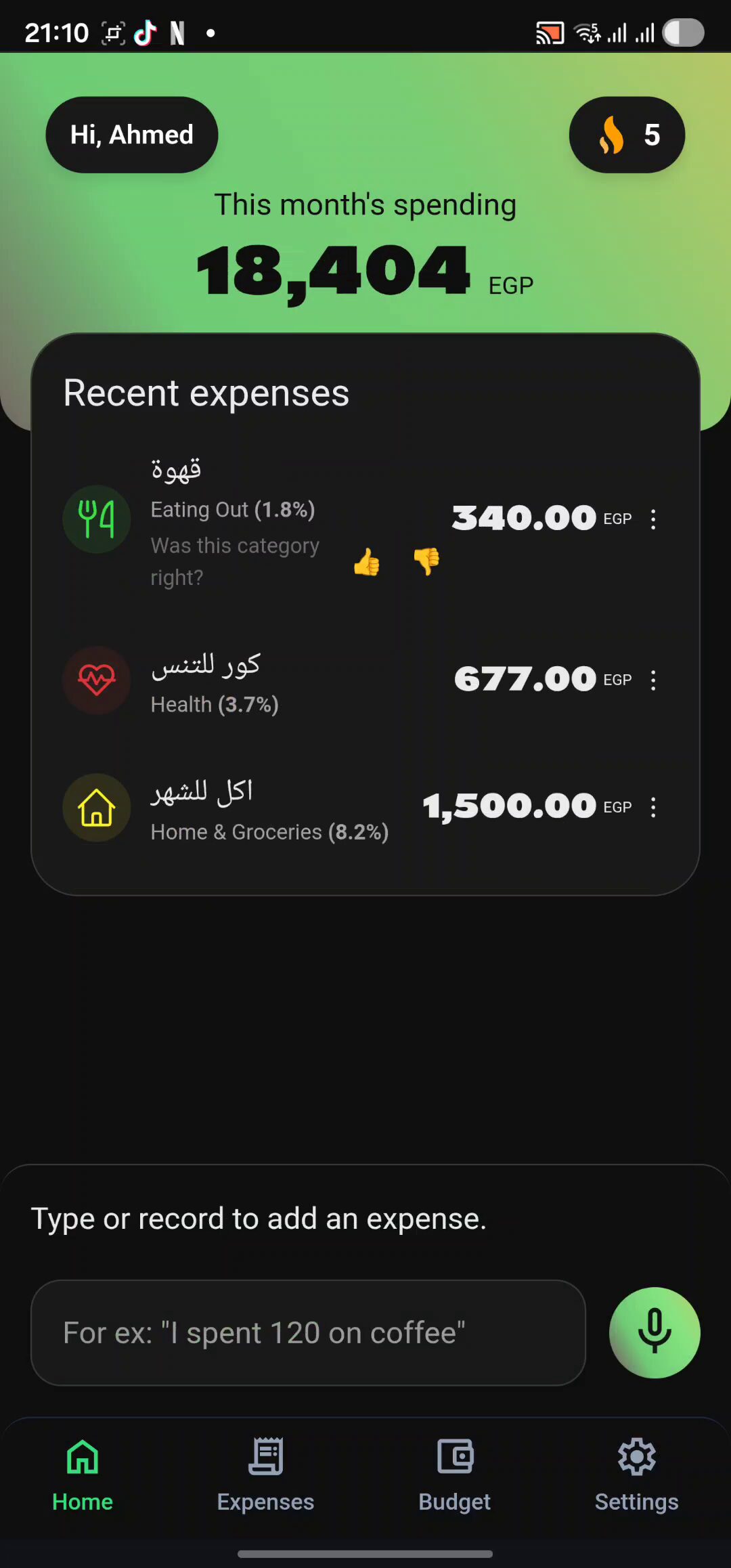
The expense appears in your list with its amount, category and date. If the category is off — “coffee” landing under Home & groceries, say — you change it, and Flosyfeen remembers the correction and uses it next time. The month's total on the home screen updates straight away.
Why one sentence beats a form
An expense left for later has to be remembered later, and small cash amounts are the first to go. A form — open the app, pick a category, type a number, save — is what makes you put it off. A sentence gets said while you are still at the counter. That difference is what separates an app you drop after two weeks from one that stays; the full argument is in why budget apps don't stick in Egypt.
When typing is better
Somewhere you would rather not speak out loud — at work, on the metro — type the same sentence into the text box and it is filed the same way. Both have an allowance: the free start includes 40 typed expenses and 20 voice notes, with no time limit and no card.
Three habits that make it stick
- Say it as you pay, before the change is back in your bag. Not at night, from memory.
- If there is more than one expense, say them in one breath. No need to open the app twice.
- Look at the week's totals once, on the Expenses screen, and see which category came out larger than you expected.